Account Deletion Steps
You can delete your account by following below steps:
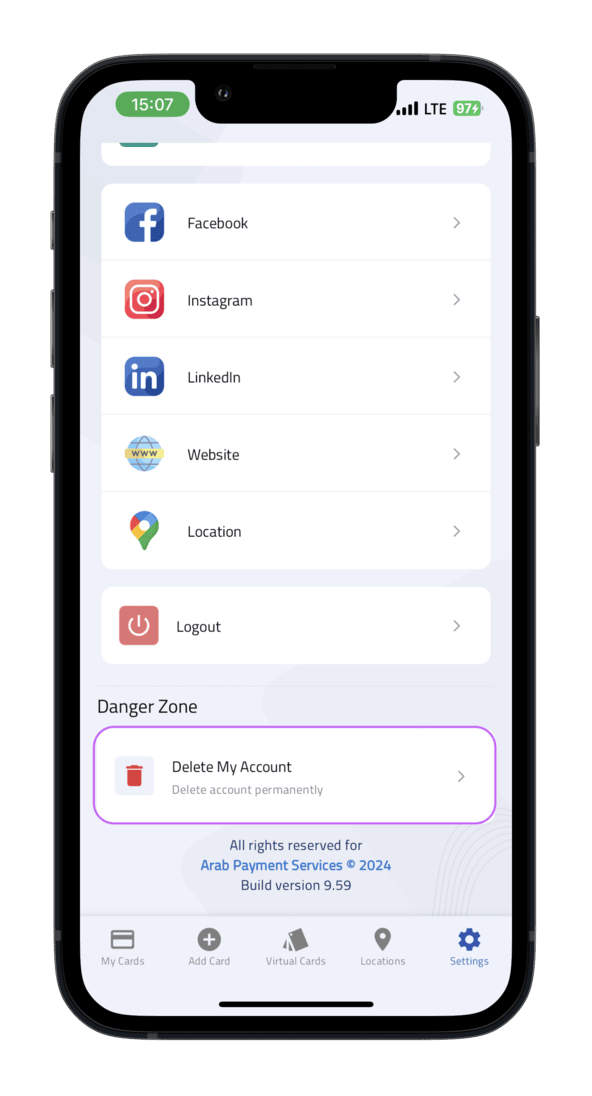
- Go to Settings.
- In the Danger Zone section, choose Delete Account.
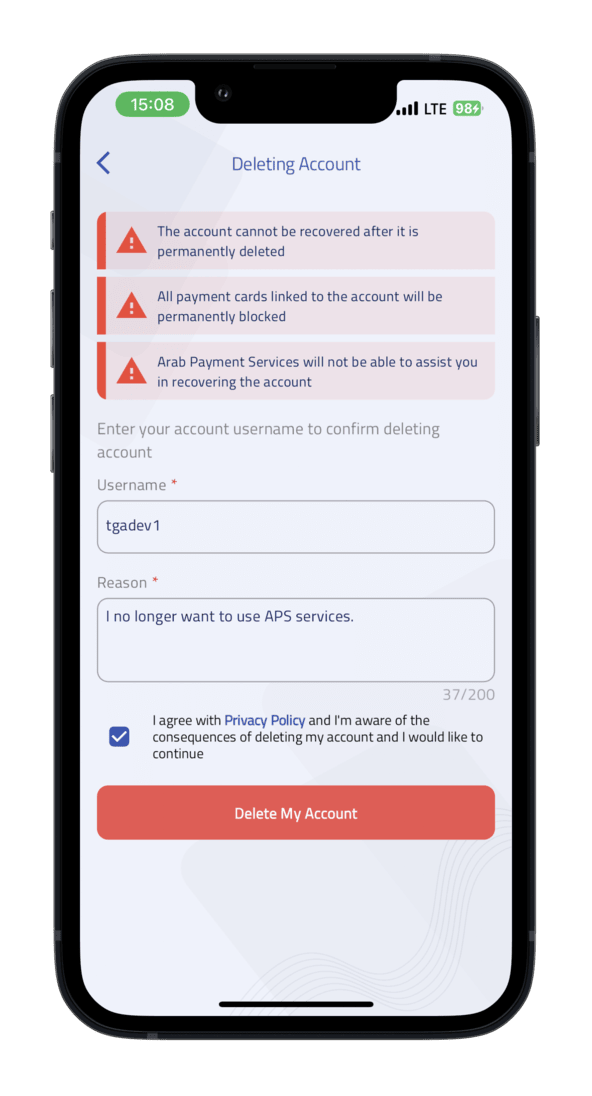
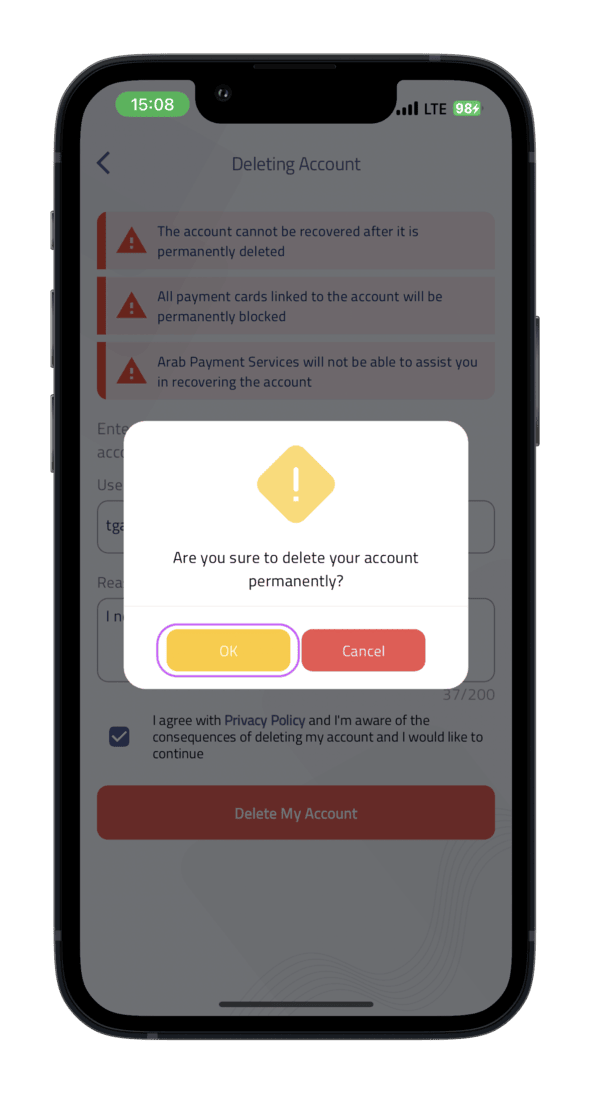
- Enter your username and reason for account deletion.
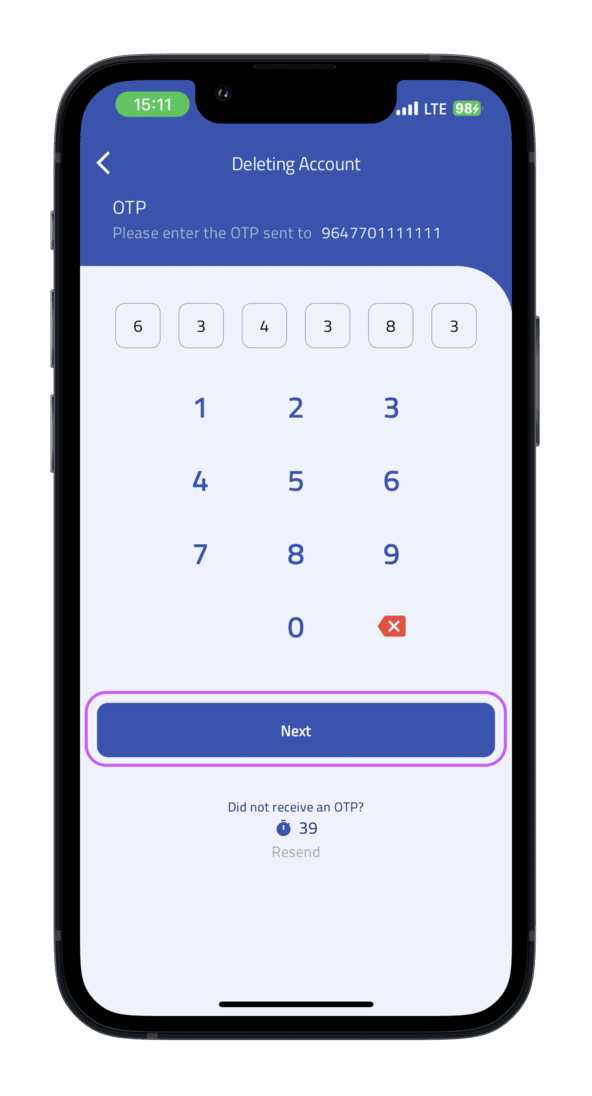
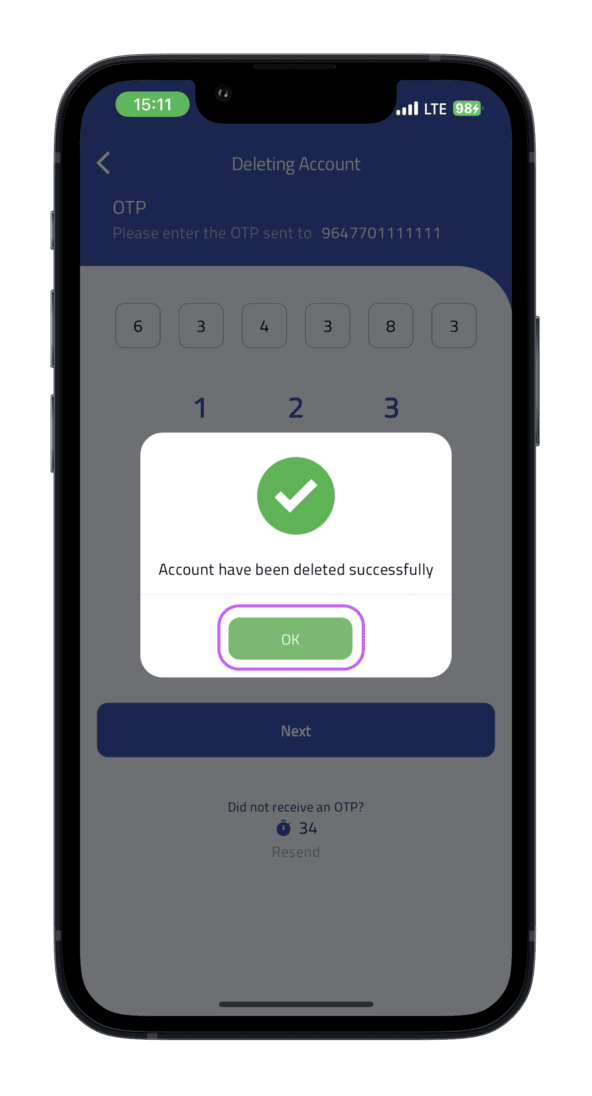
- A One Time Password (OTP) will be sent to the phone number associated with the user account and you will be redirected to the OTP verification screen.
- Enter correct OTP and submit.
- You will be automatically logged out of the application and your account will be deleted.
Note that we will retain your data for 5 years according to article 11 of chapter 5 of the Iraqi Anti-Money Laundering and Terrorist Financing law no. 39 of 2015, after which we will completely remove your information from our systems.
Please refer to ourprivacy policyfor further information.

1
2
3
4
5
6