ATM MachinesIssuing And Processing Cards
Fraud ProtectionMobile ApplicationE-Bill Payment Aggregator
E-Payment GatewayPoint of Sale (POS) Devices
  1. Mobile Delete Account

Arab Payment Services

An Iraqi company, licensed by the Central Bank of Iraq, offering secure electronic payment services with a local exchange and data center in Baghdad, ensuring 24-hour service delivery.

Bank Services

ATM MachinesIssuing And Processing Cards

Institutions Services

Fraud ProtectionMobile ApplicationE-Bill Payment Aggregator

Individual Services

E-Payment GatewayPoint of Sale (POS) Devices

Company

About UsContact Us
Privacy Policy|Delete Your Account

©2026All rights reserved forAPSCompany, Designed & Developed by APS Development Team

|
v1.0.6

Account Deletion Steps


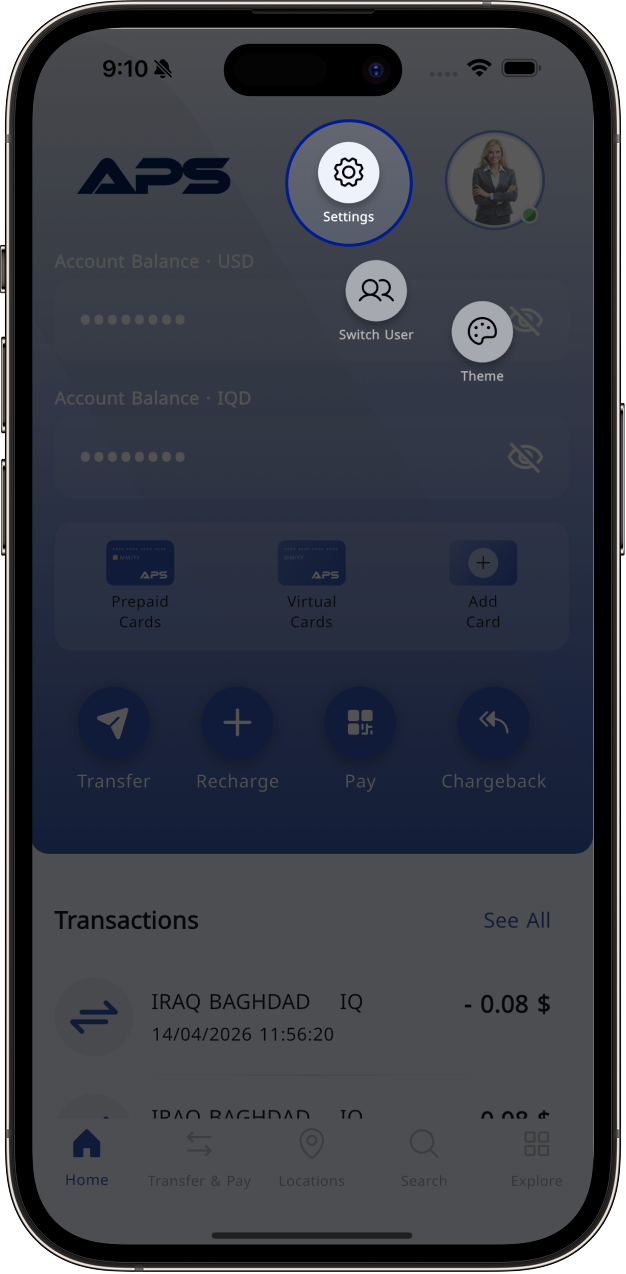
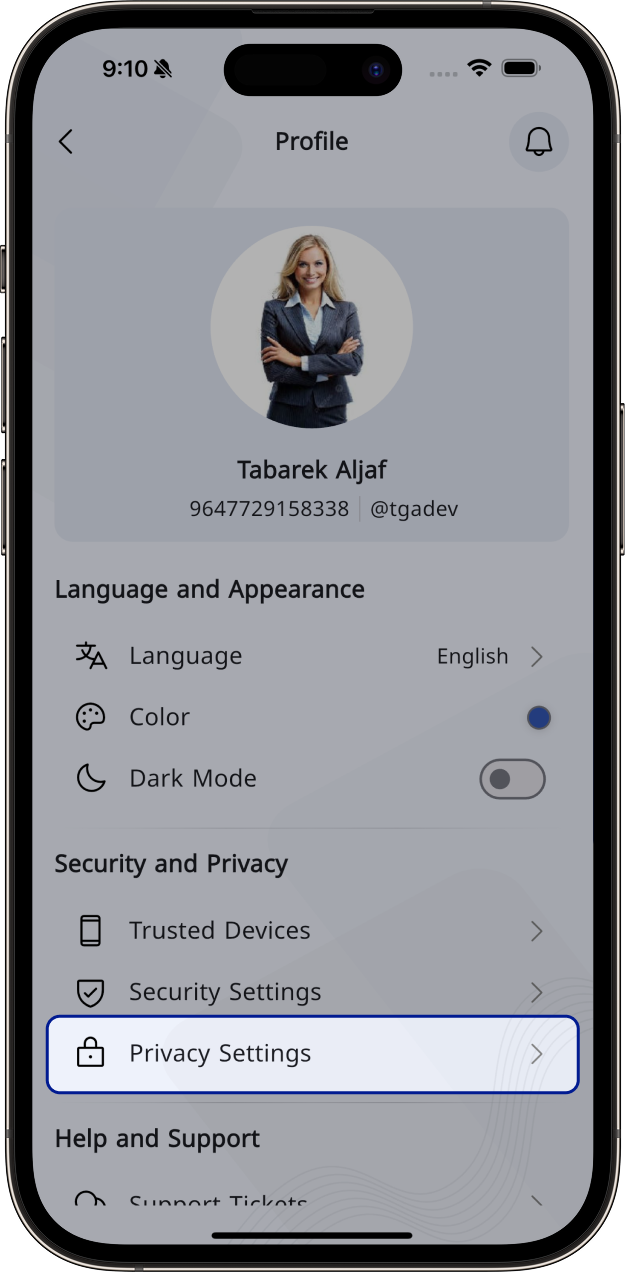
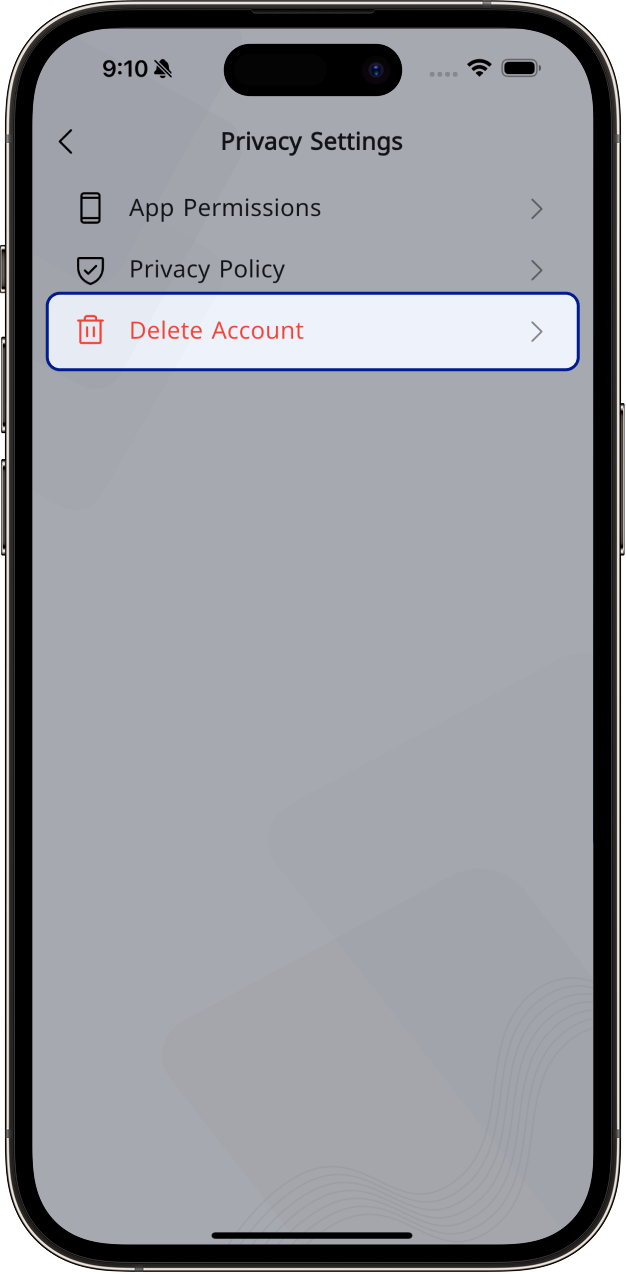
You can delete your account by following below steps:

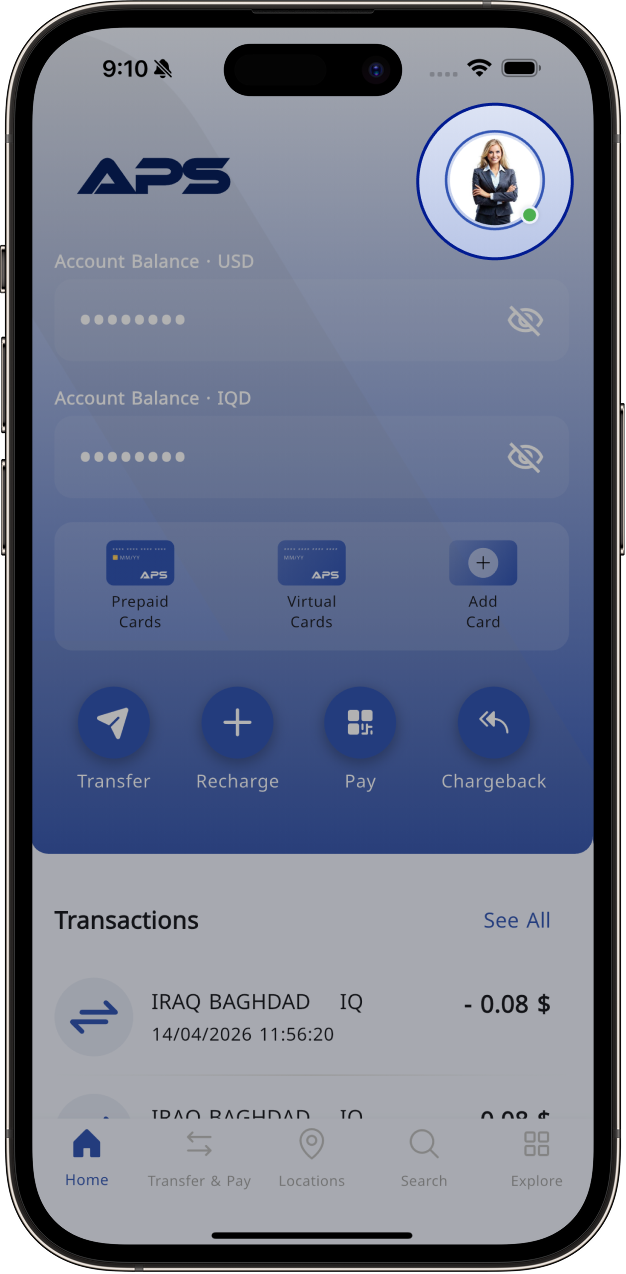
  • Open the app and go to Profile/Settings.
  • Navigate to Privacy Settings.
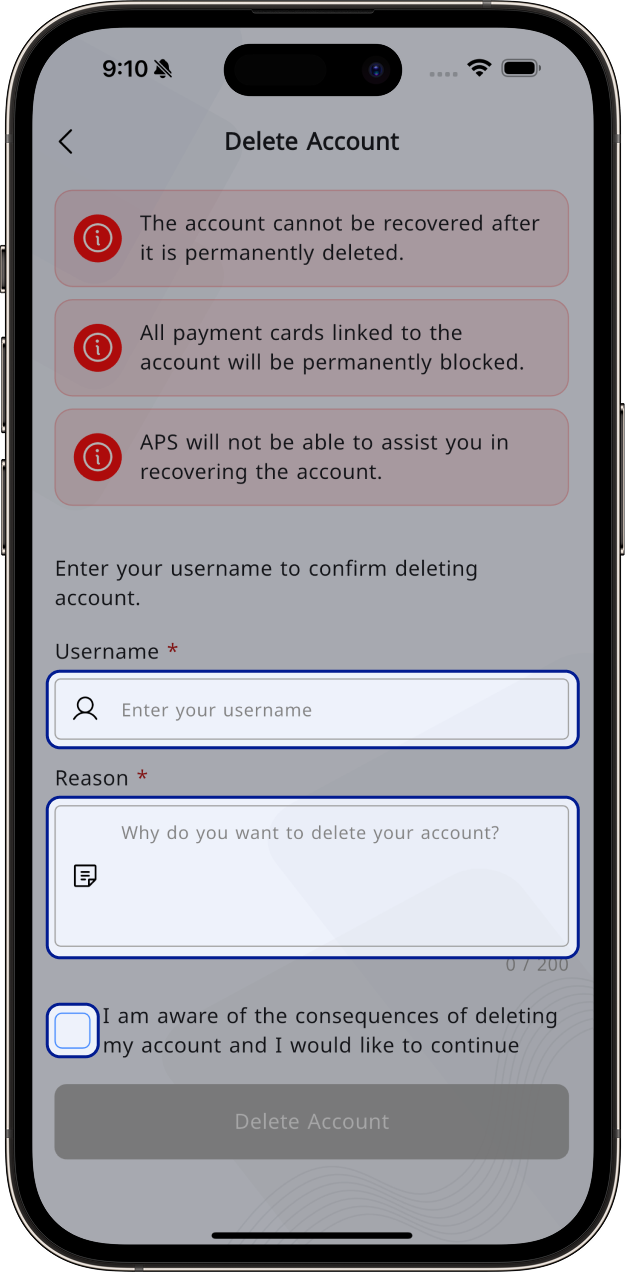
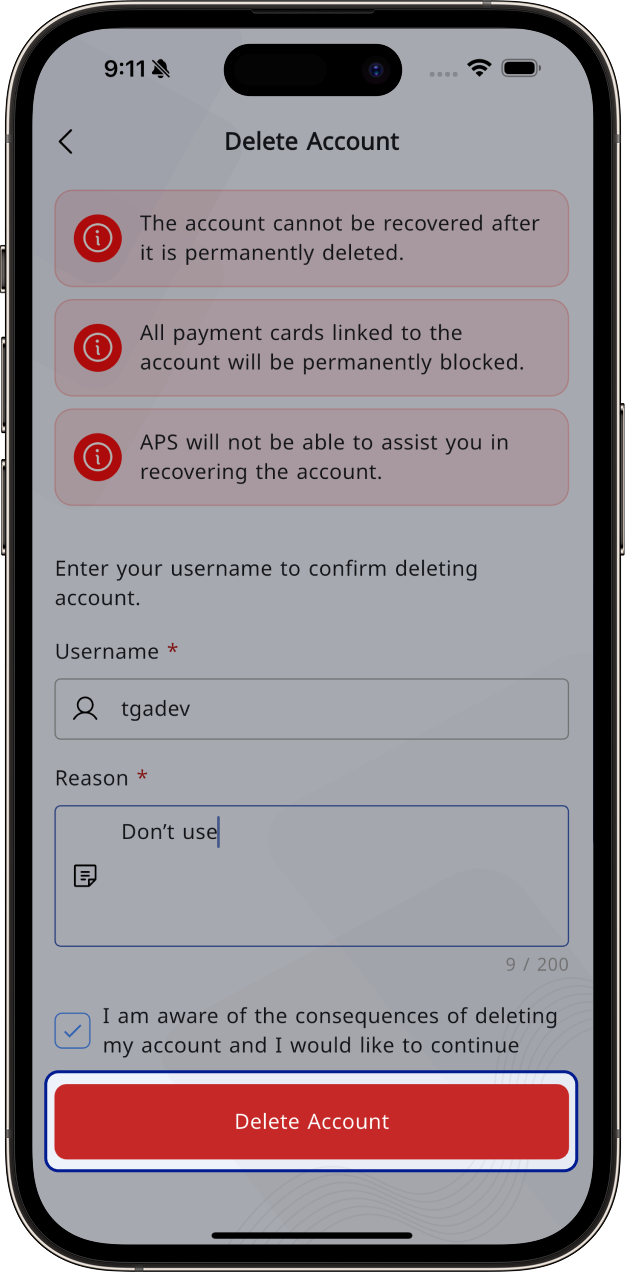
  • Review the important notices:
    • Your account cannot be recovered after deletion.
    • All linked cards will be deactivated.
    • APS will not be able to restore your account.
  • Enter your username and reason for deletion.
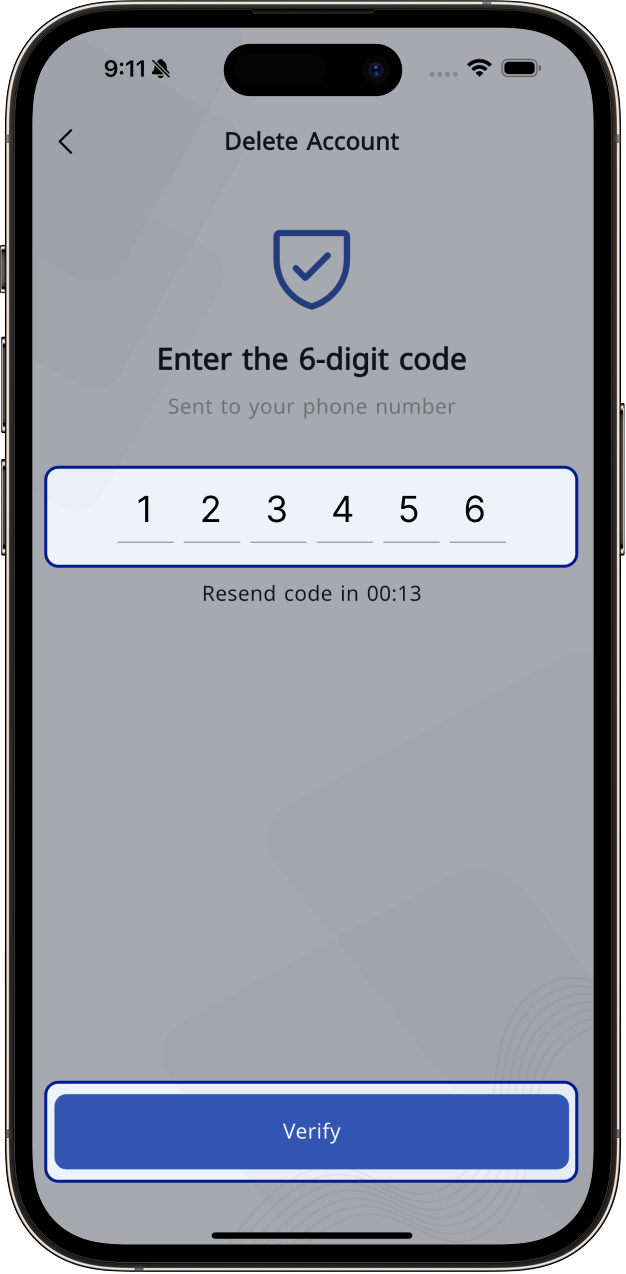
  • A One-Time Password (OTP) will be sent to your phone.
    • You will be redirected to the verification screen.
  • Enter the OTP and submit.
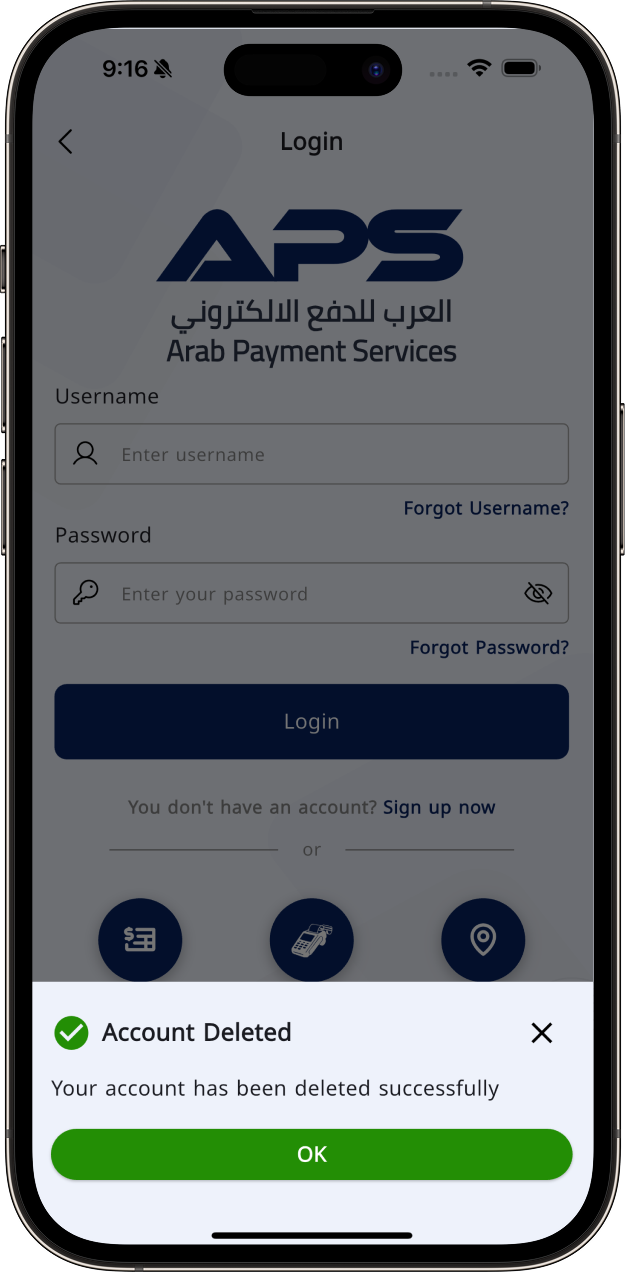
  • You will be logged out and your account will be deleted.

Note that we will retain your data for 5 years according to article 11 of chapter 5 of the Iraqi Anti-Money Laundering and Terrorist Financing law no. 39 of 2015, after which we will completely remove your information from our systems.

Please refer to ourprivacy policyfor further information.

English Delete Image 1

1

English Delete Image 2

2

English Delete Image 3

3

English Delete Image 4

4

English Delete Image 5

5

English Delete Image 6

6

English Delete Image 7

7

English Delete Image 8

8

To download the APS app, please choose the store for your device.